
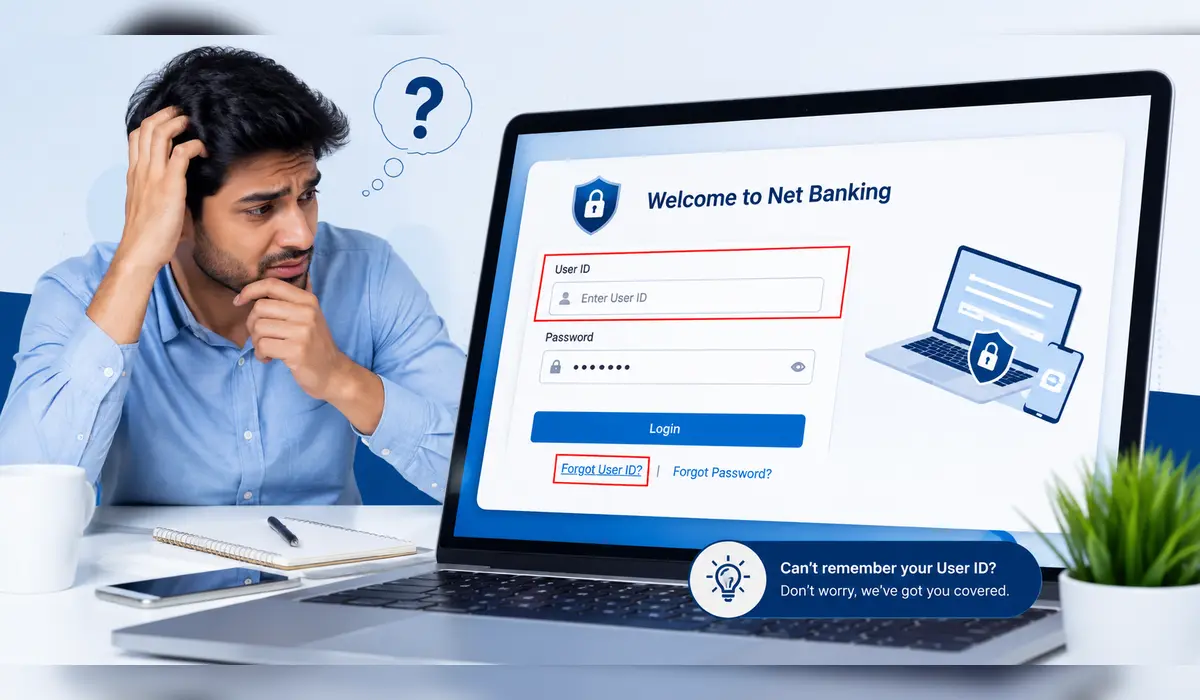
How do I find my user ID for net banking? It was Sunday morning. Amit wanted to pay his electricity bill. He opened the website to log in to net banking as usual. He remembered the password but could not remember the user ID. Despite trying several times, he could not log in. Then he started thinking whether to call Customer Care or create a new account. After a few minutes, he realised that the User ID was given in the Welcome Kit itself. He got the job done in no time.
Such a situation happens to many net banking users. The good thing is that banks provide many official options to find the user ID for net banking. In this article, we are going to understand all seven easy ways.
If you are new to Net Banking, read our detailed guide—“What is Net Banking? Meaning, Features, Benefits, Types & How It Works”—first will help you understand the User ID, password, and login process much more easily.
Has this ever happened to you?
Suppose, at the beginning of the month, you urgently need to pay your electricity bill or transfer money to someone. You open the net banking website, but while logging in, you suddenly realise that you can’t remember your user ID! Then you start running around looking for your Welcome Kit, going through your passbook, or calling Customer Care.
If you have also experienced this, don’t worry. This article explains all about how to find my user ID for net banking.
How do I find my user ID for net banking? (Quick Answer)
You can use the following options to find your user ID for net banking:
- Check the Welcome Kit.
- Use the “Forgot User ID” option on the bank’s Internet Banking Portal.
- Get User ID on Registered Mobile Number (available as per the bank).
- Check the profile in the Mobile Banking App.
- Contact Customer Care.
- Visit the nearest bank branch.
Note: The process may be slightly different for each bank.
What is a Net Banking User ID?
If you are using net banking for the first time, it is quite natural to get confused between User ID and Password. Simply put, Net Banking User ID is the identity of your Internet banking account. Just as every person has a different name, a different user ID is given for each net banking account. You can securely log in to Internet Banking only by using this user ID and your password together.
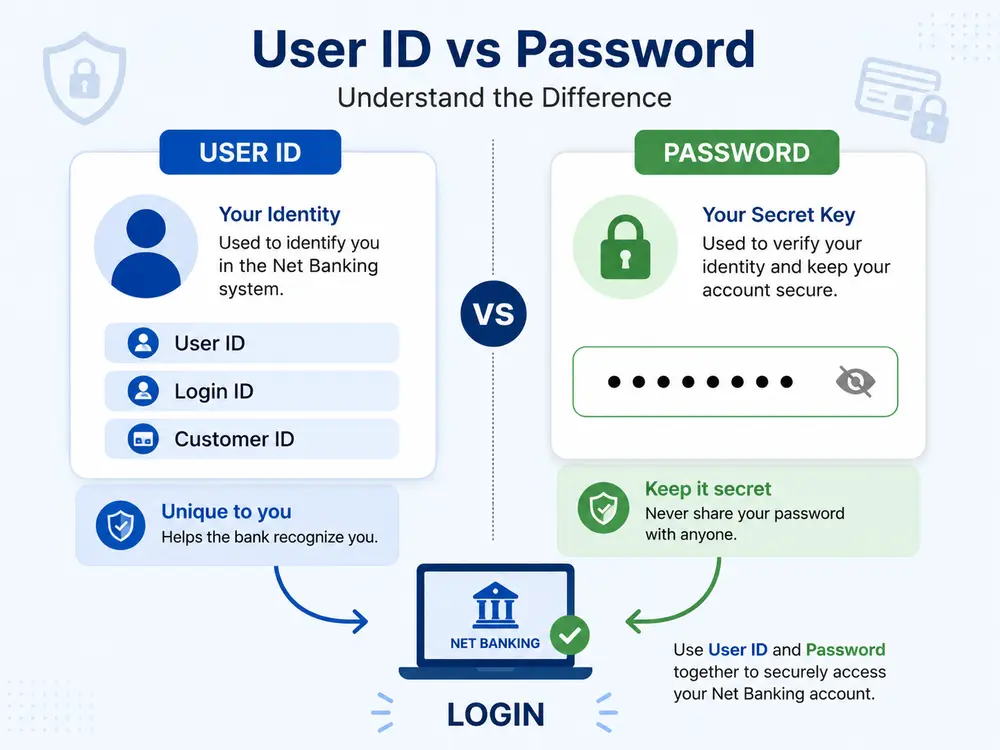
The important thing is that the method of giving a user ID is not the same for every bank. In some banks, the customer ID or customer number is used as the login user ID, while some banks give a separate user ID. Therefore, it is necessary to know what the procedure of your bank is. If you do not remember the user ID, then there is no need to worry. It can be easily found or obtained again through the official facilities of the bank.
The User ID and Password are two distinct pieces of information. If you wish to learn more about what a Net Banking Password is, how to create one, and how to keep it secure, be sure to read our detailed article: “What is a Net Banking Password? 7 Powerful Facts.”
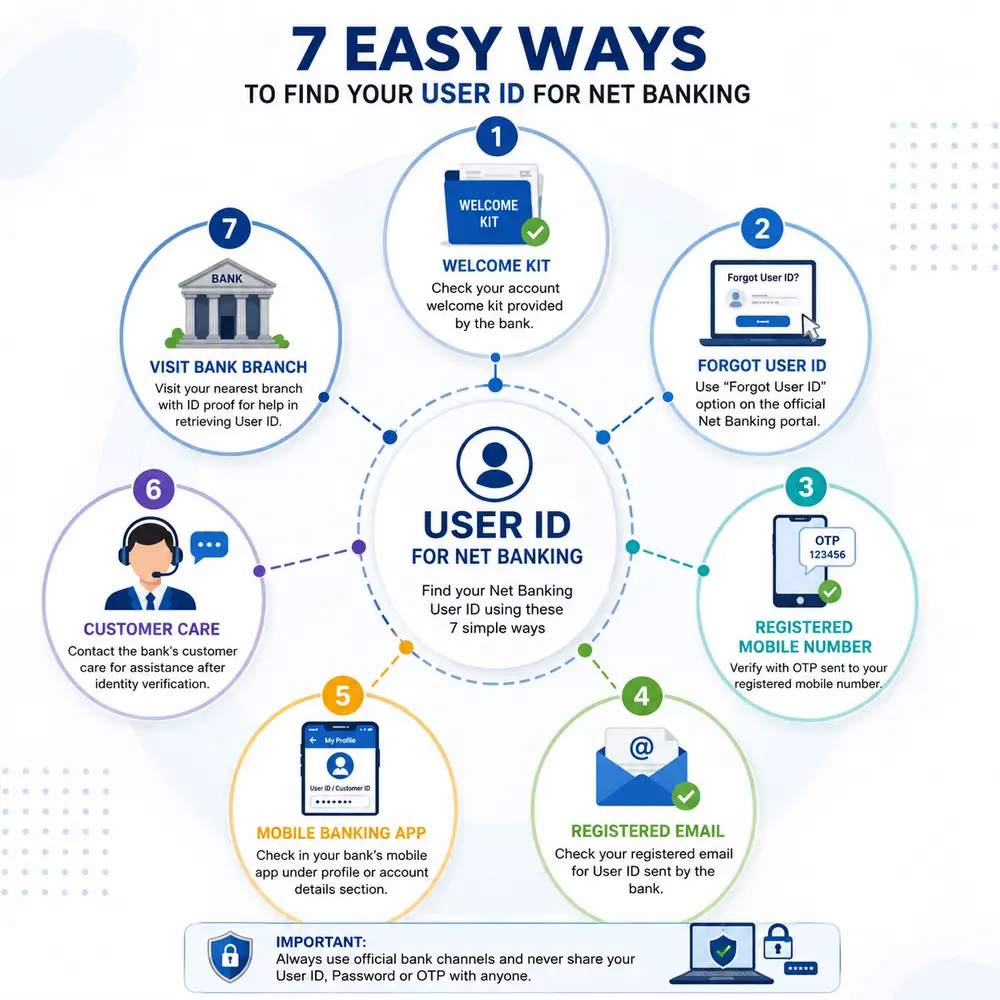
How do I find my user ID for net banking? 7 Easy Ways
If you don’t remember your user ID for net banking, then don’t panic. Most banks provide several official options to find or retrieve your User ID. Try the methods given below one by one.
1. Check the Welcome Kit
Most banks provide a welcome kit after opening a new bank account. This kit may contain information about account number, customer ID, and net banking login. So, first of all, check the Welcome Kit carefully. Many times, the User ID is found there.
2. Use the Forgot User ID option on the Internet Banking Portal
Nowadays, almost all major banks offer the Forgot User ID or Retrieve User ID facility on their official Internet Banking website. This is the easiest and fastest way to find your user ID.
Generally, the process is as follows:
- Visit the official Net Banking website of the bank.
- Select the Forgot User ID or Retrieve User ID option.
- Fill in the account number, customer ID, or the required details.
- Complete the verification by entering the OTP received on the registered mobile number.
- After successful verification, the User ID will appear on the screen or will be sent via SMS or email.
Note: This process may vary slightly depending on each bank.
3. Use Registered Mobile Number
If your mobile number is registered with the bank, then after OTP verification, some banks send your user ID for net banking directly via SMS. Therefore, it is necessary to have the registered mobile number nearby while searching for the user ID.
4. Check Registered Email
Many banks also send the login information via email when activating Net Banking. Therefore, check the Spam or Promotions Folder along with the Inbox. Your User ID may already be available there.
5. Check the Mobile Banking App
If you are already using the bank’s Mobile Banking App, then the Customer ID or Login ID may appear in the Profile, My Account, or Account Details section. So, check the profile information in the app once.
6. Contact Customer Care
If you are not getting the User ID through any of the above methods, then contact the bank’s official Customer Care. After verifying your identity, they will tell you the correct procedure to get the User ID or guide you further.
7. Visit the nearest bank branch
If your registered mobile number has changed, you are not getting an OTP, or the online process is not completing, then this is the most reliable option. Go to the nearest bank branch with your Aadhaar card, PAN card, or any other valid ID. After necessary verification, the bank officials will help you to get a user ID for net banking.
Avoid these mistakes while searching for User ID
- Do not assume that Password and User ID are the same.
- Do not share OTP or password with anyone.
- Do not log in to unknown websites in Google Search.
- Use only the official website or app of the bank.
- Do not log in by clicking on links on social media or WhatsApp.
Important security tips
Although your user ID for net banking is not confidential, it is used along with a password. Therefore:
- Use a strong password.
- Change your password regularly.
- Avoid using net banking on public Wi-Fi.
- Check SMS or email alerts after every transaction.
- Contact the bank immediately if you receive a suspicious call or email.
Be aware: Avoid online fraud.
As digital banking grows, so do the types of online fraud. Therefore:
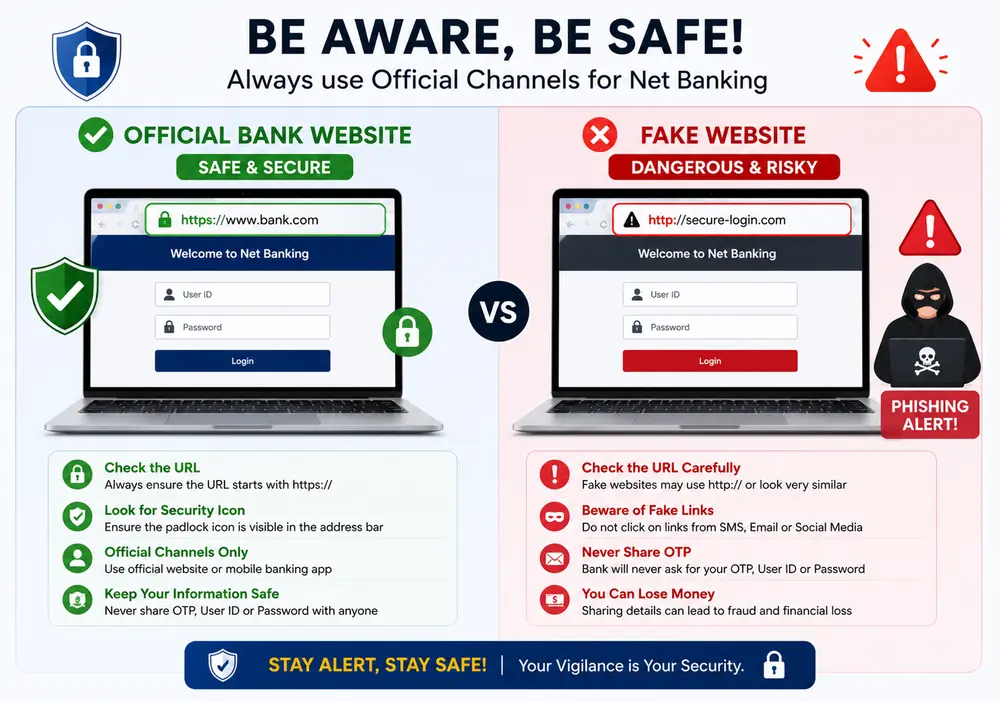
Do not trust fake customer care numbers.
Do not share OTP, CVV, or password with anyone.
If asked to download a screen-sharing app, refuse.
Check the bank’s official address (URL) in the browser before logging in.
A little care from you can prevent your financial loss.
The RBI’s guidelines on safe digital banking advise against sharing OTPs, passwords, or user IDs with anyone while using net banking and recommend using only official banking websites.
Some important statistics on digital banking in India
The use of digital banking and online transactions is growing rapidly in India. Therefore, it has become more important to keep your user ID and login information secure while using net banking.
- In FY 2025–26, 24,161.69 crore transactions were recorded through UPI, which had a total value of ₹314 lakh crore.
- In March 2026, 2,264 crore UPI transactions were made in a single month, with a total value of ₹29.53 lakh crore.
- As of March 2026, more than 703 banks have been connected to the UPI network, making digital banking services more accessible across the country.
- About 85% of the total digital payment transactions in India are made through UPI, indicating its dominance in the digital payments sector.
- The Reserve Bank of India (RBI) advises customers to always use the bank’s official website, mobile banking app, or internet banking portal and repeatedly asks them not to share information like OTP, password, or user ID with anyone.
This makes it clear that while the use of digital banking is increasing at a rapid pace in India, it is equally important to follow secure login practices and keep the Net Banking User ID secure.
Frequently Asked Questions (FAQs): How do I find my user ID for net banking?
1. Are User ID and Customer ID the same?
Not always. In some banks, the Customer ID is the same as the User ID, while some banks provide a separate Login User ID.
2. What to do if you forget your User ID?
Use the Forgot User ID option on the bank’s official website or contact Customer Care.
3. Can I get a User ID if I do not have a registered mobile number?
Yes. In such a case, you can get a User ID by visiting the nearest bank branch or with the help of Customer Care.
4. Can I view the User ID from the Mobile Banking App?
This information is available in the Profile or Account Details section of some banks’ apps.
5. Do I have to change my password after getting the user ID?
If you have forgotten only the user ID, then there is no need to change the password. However, if you have forgotten the password as well, you have to reset it.
Conclusion
Forgetting the user ID for net banking is a common thing while using net banking. Fortunately, it can be retrieved through many official ways like the Welcome Kit, registered mobile number, mobile banking app, the Forgot User ID facility, customer care, and the bank branch. While performing any process, use only the official website or app of the bank and do not share the OTP or password with anyone.
Disclaimer: This article is prepared for educational and informational purposes only. The process of obtaining the User ID may differ from bank to bank. For accurate information, contact the official website, Mobile Banking App, or Customer Care of the respective bank.
References
- Reserve Bank of India (RBI)
- Official Internet Banking Help Page of the respective bank
- Customer Care Guide of the respective bank
“Have you ever forgotten your net banking user ID, and what method was most helpful for you to find it again?“

Hello! I’m Abhijeet Bendale, founder of MoneyPedia (Your Trusted Banking Guide). With 8 years of experience in the education field, I aim to simplify banking and personal finance topics for everyday readers through easy-to-understand guides and tutorials.
At MoneyPedia, I share informative content on UPI, digital payments, net banking, ATM and debit cards, mobile banking, and other essential banking topics to help users make smarter financial decisions with confidence.