
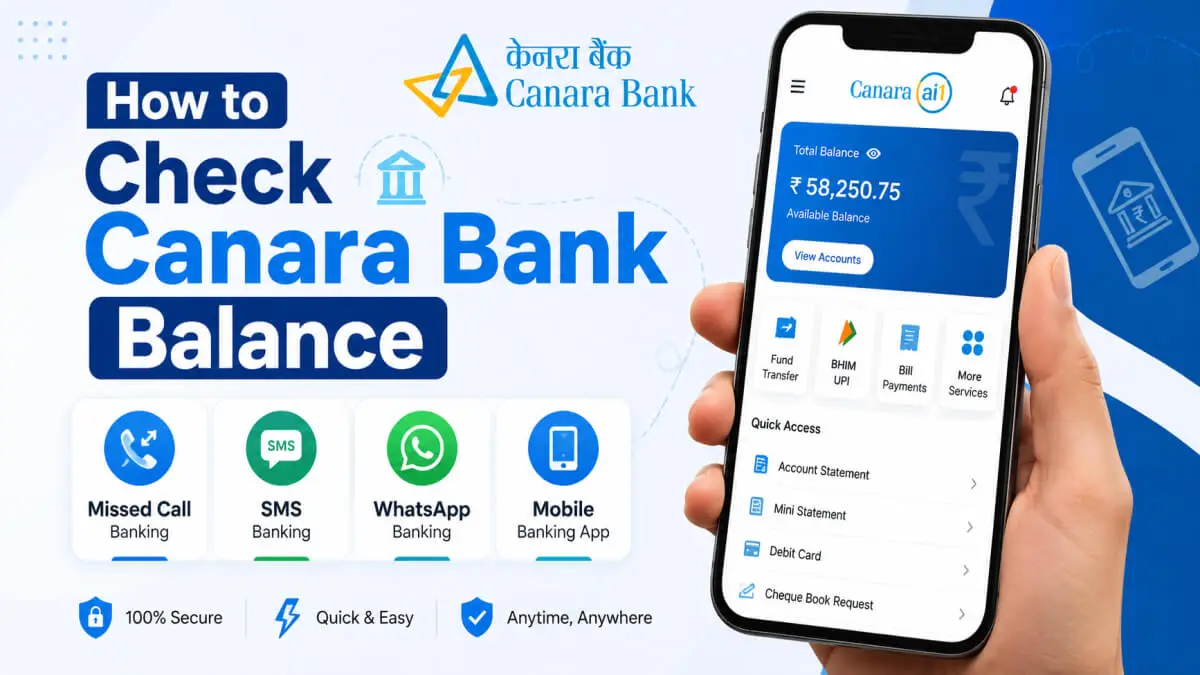
Quick Summary Takeaways
- There are many easy options to check your Canara Bank balance, such as missed call, SMS, WhatsApp, mobile app, ATM, and internet banking.
- You can use missed-call banking as the fastest method by calling from a registered mobile number.
- Even without internet, you can check your account balance using SMS banking and toll-free service.
- The Canara AI1 app lets you check your balance. It also offers fund transfer, mini statement, and UPI services.
- WhatsApp banking allows you to check your balance and mini statement from WhatsApp itself.
- If you do not have a registered mobile number, you can use the ATM, passbook or branch visit option.
- It is very important to keep OTP, PIN and banking details safe while checking your balance online.
- This article has given all the official numbers, procedures and security tips related to how to check Canara Bank balance in detail.
In fact, in today’s era of digital banking, the need to go to the bank and update the passbook has reduced a lot. Now you can check your account balance from your mobile within a few seconds. If you are a Canara Bank customer seeking information on checking your balance, this article will prove invaluable.
Canara Bank offers many facilities to its customers, like missed call, SMS banking, WhatsApp banking, mobile app, internet banking, ATM and toll-free services. So, whether you have internet or not, you can easily check your account balance.
Banking services have become very easy in today’s digital age. If you want to know more about what banking is, how banking services work and the modern banking system, you can also read our detailed guide on what banking is.
How to check the balance in Canara Bank
The following are the major methods available to check the Canara Bank balance:
- Missed Call Banking
- SMS Banking
- WhatsApp Banking
- Mobile Banking App
- Internet Banking
- ATM Machine
- Passbook Update
- Toll-Free Customer Care
- UPI Apps
Some of these services are available 24/7, and some require a registered mobile number.
Canara Bank Balance Check Number
The official balance enquiry numbers of Canara Bank are as follows:
| Toll-Free Customer Care | Number |
|---|---|
| Balance Enquiry Missed Call | 8886610360 |
| Mini Statement (English) | 09015734734 |
| Mini Statement (Hindi) | 09015613613 |
| Toll Free Customer Care | 1800-1030 |
| WhatsApp Banking | 9076030001 |
The above information is available on official and financial information websites.
Canara Bank Balance Enquiry Missed Call Number
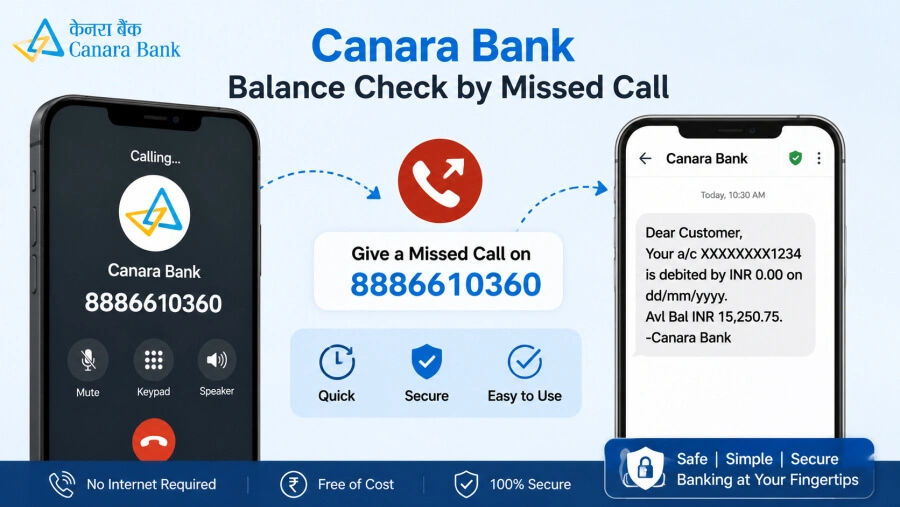
If I want to inquire about the bank balance of Camera Bank through a missed call, just give a missed call to 8886610360 from your registered mobile number. You will get the balance via SMS within a few seconds.
Canara Bank Mini Statement Number
If you want a mini statement of your Canara Bank account, you can call the following number. A mini statement is the last five transactions. To see these last 5 transactions, give a missed call to the following number:
- English: 09015734734
- Hindi: 09015613613
1. How To Check Canara Bank Balance By Missed Call
Checking the bank balance by missed call is considered the easiest and fastest method.
1.1 Steps to Use Missed Call Banking
1. Use a registered mobile number
To check your bank balance by missed call, you will have to use your registered mobile number. You can check your bank balance by missed call only if you have a registered mobile number.
2. Give a missed call to 8886610360
Give a missed call to 8886610360 with your registered mobile number.
3. The call will be disconnected automatically
After the call is made, the call will be automatically cut. You do not need to cut the call yourself.
4. You will receive an SMS with your balance in a few seconds
After the call is automatically cut, an SMS from Canara Bank will come to your registered mobile number in a few seconds, and in that SMS, you will know what your current account balance is.
1.2 Benefits of Missed Call Balance Check
- No need for the internet to check the balance through a missed call.
- 24×7 service is available, i.e. you can check the missed call bank balance during this time.
- There is no charge to check the balance through a missed call, i.e. this service is a free service.
- No need for a touchscreen mobile to check the balance; it works on any basic keypad mobile.
- This facility is available on the official Canara Bank missed call banking page.
2. How to check Canara Bank balance through sms
If you do not have internet access to check your Canara Bank balance, you can check it using SMS banking.
2.1 Canara Bank SMS Banking Format
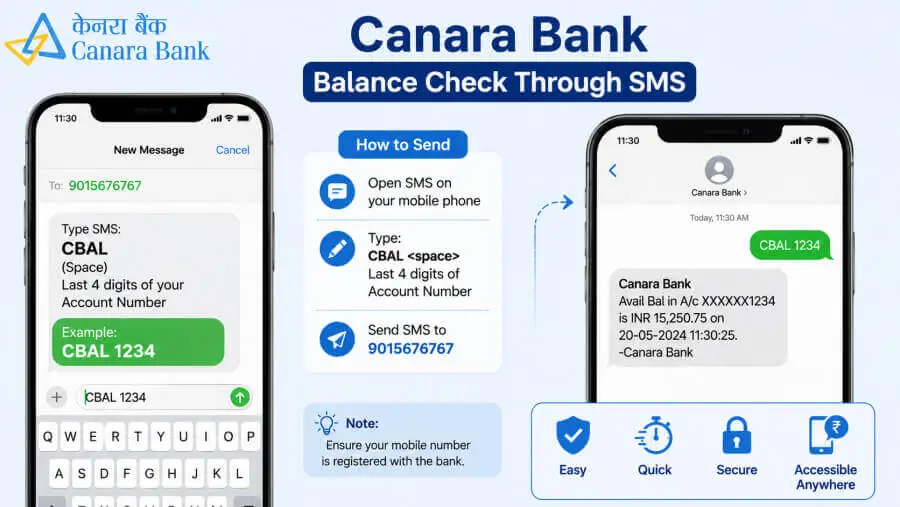
For this, you have to open your mobile’s SMS app and type the following format in the mobile’s SMS app:
CANBAL USERID MPIN
Send this SMS to 5607060.
After that, you will get the balance information in the SMS.
2.2 Important Things to Remember While Using SMS Banking
- For SMS banking, you need your mobile number to be a registered mobile number for Canara Bank’s SMS service. Sometimes, Standard SMS charges may apply. This depends on the policy of Canara Bank.
- Remember to keep your MPIN and USERID safe.
3. Canara Bank Balance Check Online (Through Internet Banking)
Net banking and mobile banking are two popular options for checking balance online. You can check your bank balance using either of these options.
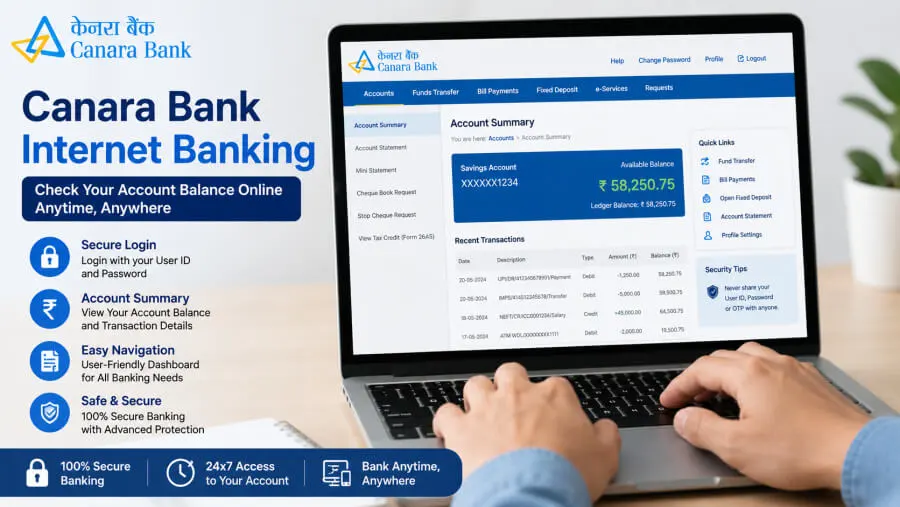
3.1 Check Balance Through Internet Banking
- Open the official Canara Bank net banking portal.
- Log in using your Customer ID and password.
- Check the balance in “Account Summary”
Tip: Remember that you should not let anyone know your Internet Banking ID and password.
3.2 How Secure is Online Balance Checking?
- Remember to always use the official website/app to check your bank balance.
- Avoid Public WiFi as much as possible.
- Do not share the OTP that you receive for Internet Banking login with anyone.
4. Canara Bank Balance Check App (Through Mobile Banking App)
You can also use the mobile banking app of Canara Bank to check your account balance. The official mobile banking app of Canara Bank is: Canara AI1 App
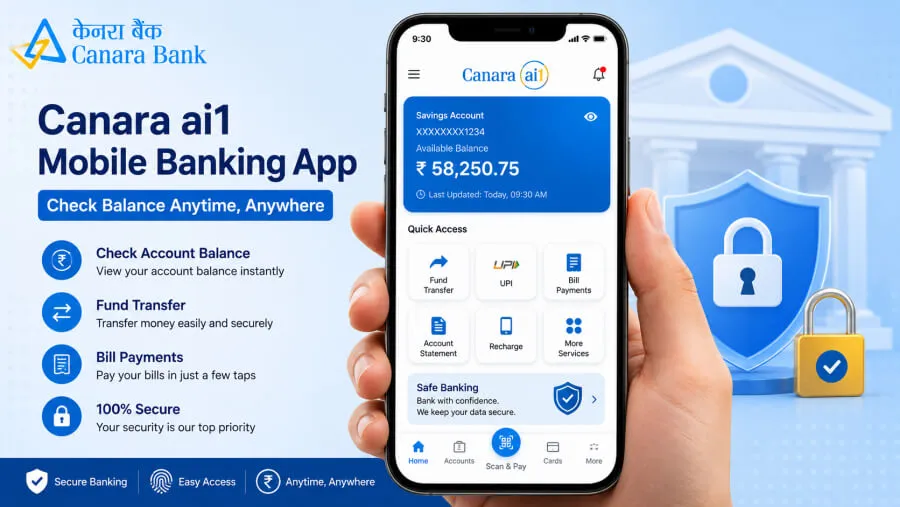
4.1 Canara AI1 App Features
This app has some of the following features:
- You can make a balance inquiry.
- You can transfer funds to yourself or others.
- You can view the account statement.
- UPI services are also available from this app.
- You can make bill payments from this.
- You can also get FD/RD services from home.
4.2 Steps to Check Balance Using Mobile App
1. Download the app
First of all, you have to go to the Play Store or visit the official website of the bank and download the app from there.
2. Register with the registered number
After downloading the app, register with the registered mobile number that is registered with the bank for mobile banking.
3. Set MPIN
Set MPIN, i.e. Mobile PIN. You will have to enter this PIN every time you open the app, so remember it permanently. Every time you open the mobile banking app, you will have to enter this PIN to open the app.
4. Balance will appear on the dashboard
After opening the app, the bank balance of your account will appear on the dashboard in the app.
4.3 Benefits of Using the Canara Bank Mobile Banking App
You get the following benefits when using Canara Bank’s mobile banking app.
- You get the facilities of instant banking.
- The information is not available to others because there is a secure login.
- Multiple banking services are available in one app.
5. Canara Bank Balance Check Whatsapp Number (Through Whatsapp Banking)
WhatsApp banking is a new and popular facility. In this, you need the bank’s WhatsApp number.
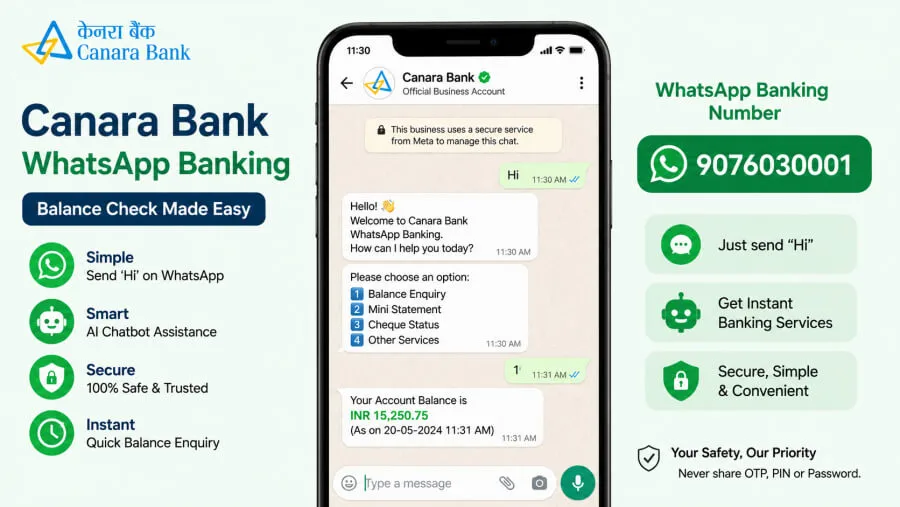
5.1 How to Activate WhatsApp Banking
1. Save the number 9076030001
First of all, save the WhatsApp number 9076030001 of Canara Bank in your mobile. Remember the name under which you will save it. Preferably, save the Canara Bank WhatsApp number with the same name.
2. Send “Hi” on WhatsApp
After this, open the WhatsApp app on your mobile and enter the name under which you have saved the number in the search bar. That is, if you have saved it as Canara Bank WhatsApp number, then enter that name and open the chat box. And send an SMS saying “Hi”.
3. Banking menu will open
After this, the banking menu will open in that chat box through WhatsApp from the bank. Different services will be provided in this menu.
4. Select Balance enquiry option
Select the balance enquiry option in this banking menu, i.e. click on it. After clicking, you will get a message with the bank balance in the same chat box in a short time.
So in this way, you can also check the bank balance in your Canara Bank account through WhatsApp.
5.2 Services Available on WhatsApp Banking
The following facilities are available in the banking services menu that opens after saying Hi on WhatsApp.
- Balance enquiry can be done.
- Mini statement can be viewed.
- Account details can be viewed.
- Statement requests can also be sent.
6. Canara Bank Balance Check Toll-Free Number
If you are facing any problem with the balance enquiry, you can also take help from customer care.
6.1 Official Toll-Free Numbers
If you are facing any problem in checking Canara Bank’s bank balance, you can also check your bank balance through IVR banking by calling the following numbers.
- 1800-1030
- 1800-425-0018
- 1800-103-0003
6.2 How to Use IVR Banking for Balance Inquiry
1. Call toll-free number
Call any of the toll-free numbers given above.
2. Select language
After calling, select the language from the IVR menu. Such as Hindi, English, Marathi, etc.
3. Select the account-related option
Select the option which is account-related. Select the option about the balance inquiry.
4. Balance Enquiry
After selecting the Balance Inquiry option, you will know the balance on your account.
7. How to check Canara Bank Balance Without a Registered Mobile Number
Even if the mobile number is not registered, you can still check the balance.
The following methods are available to you for this.
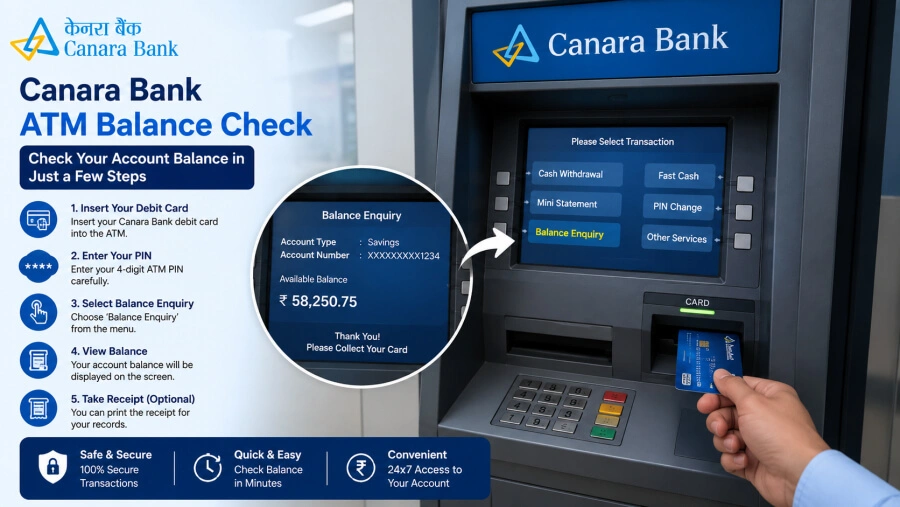
7.1 Check Balance Using ATM
You can check the balance using a debit card and ATM PIN.
7.2 Visit Branch or Passbook Printing
You can check the balance by visiting the bank branch and updating the passbook.
7.3 Use Internet Banking Without a Mobile Number
If net banking is active, then you can log in and check your Canara Bank Balance as per the information given in the section mentioned earlier about internet banking.
Benefits of Regular Bank Balance Checking
By checking your balance regularly:
1. Fraud transactions are detected early
That is, if you keep checking your Canara Bank account balance regularly, you will know whether the amount in your account is low or high. You will also know quickly if there are any fraudulent transactions.
2. Budget planning becomes easy
By checking your balance regularly, you will be aware of the money available to you, and accordingly, you can also do budget planning in a simple and easy way.
3. Low balance charges can be avoided
By checking your balance regularly, you will know whether the balance in your account has gone below the minimum balance because every bank requires a minimum balance for account maintenance. Therefore, if your account balance goes below the minimum balance, it incurs charges. Therefore, by checking your balance regularly, you can avoid low-balance charges.
4. Controls spending
A good advantage of checking your bank balance regularly is that you can control your spending based on how much money is left in your account.
Safety Tips While Checking Canara Bank Balance Online
The following are the Security tips for checking Canara Bank Balance Online.
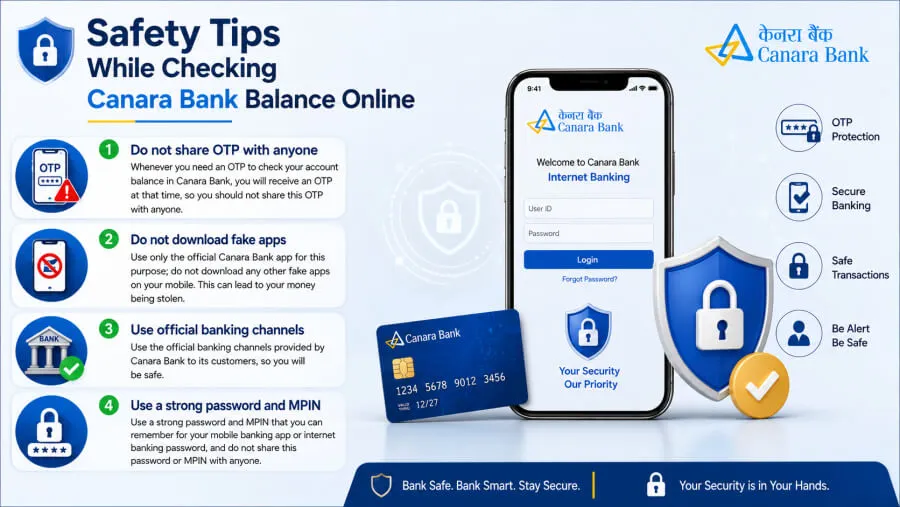
1. Do not share OTP with anyone
Whenever you need an OTP to check your account balance in Canara Bank, you will receive an OTP at that time, so you should not share this OTP with anyone.
2. Do not download fake apps
Use only the official Canara Bank app for this purpose; do not download any other fake apps on your mobile. This can lead to your money being stolen.
3. Use official banking channels
Use the official banking channels provided by Canara Bank to its customers, so you will be safe.
4. Use a strong password and MPIN
Use a strong password and MPIN that you can remember for your mobile banking app or internet banking password, and do not share this password or MPIN with anyone.
Common Problems During Canara Bank Balance Inquiry and Solutions
| Missed call banking is not working | Solution |
|---|---|
| SMS not received | Verify your registered mobile number |
| WhatsApp banking is not working | Check your mobile network |
| App login issue | Update the mobile banking app |
| WhatsApp banking not working | Verify the correct WhatsApp banking number |
| Balance enquiry failed | Try again after some time |
| Internet banking login error | Reset password or clear browser cache |
Conclusion
In today’s digital era, how to check canara bank balance has become very easy. With facilities like missed call, SMS, WhatsApp banking, mobile app, ATM and internet banking, one can check the balance in a few seconds. For safe banking, always use official services and do not share OTP or PIN with anyone.
Frequently Asked Questions (FAQs)
1. How can I check my Canara Bank balance instantly?
Missed call banking is the fastest way.
2. What is the Canara Bank balance check number?
Balance enquiry number: 8886610360
3. Can I check the Canara Bank balance without a registered mobile number?
Yes, balance can be checked using an ATM, a passbook and net banking.
4. Is Canara Bank’s WhatsApp banking free?
Yes, WhatsApp banking is free.
5. Which app is used for the Canara Bank balance check?
Canara AI1 is the official app.
6. How to check Canara Bank balance online safely?
Use only the official app and website.
Disclaimer
The information in this article is provided for educational and general information purposes only. Balance enquiry numbers, mobile banking features, WhatsApp banking services and other banking facilities may change from time to time as per Canara Bank policies.
Readers should check the latest information from the official Canara Bank website
or customer care before using any banking service. We have no official affiliation with Canara Bank and we do not provide any banking or financial services directly.
Do not share your OTP, ATM PIN, password, CVV or other banking details with anyone. Always use only official banking apps and trusted platforms for safe banking.
References
This article is created using information available on official banking and financial websites.
- Canara Bank Official Website
- Canara Bank Missed Call Banking Services
- NPCI Official Website
- Reserve Bank of India (RBI)

Hello! I’m Abhijeet Bendale, founder of MoneyPedia (Your Trusted Banking Guide). With 8 years of experience in the education field, I aim to simplify banking and personal finance topics for everyday readers through easy-to-understand guides and tutorials.
At MoneyPedia, I share informative content on UPI, digital payments, net banking, ATM and debit cards, mobile banking, and other essential banking topics to help users make smarter financial decisions with confidence.