
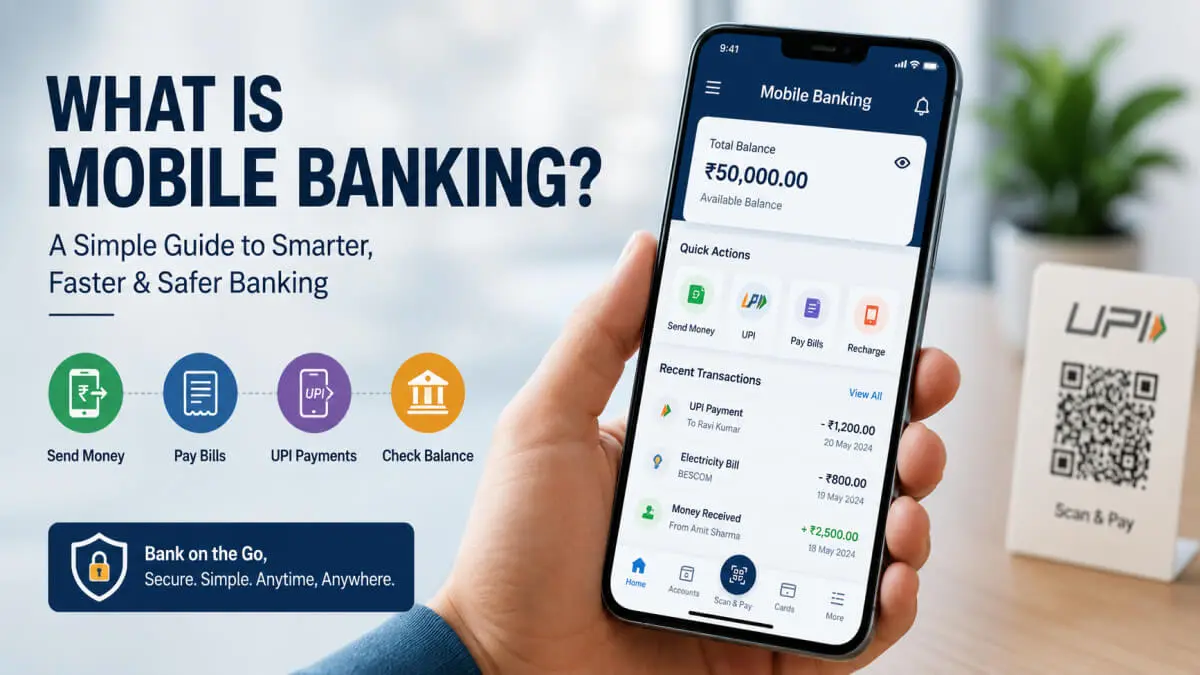
In today’s digital age, the need to stand in long queues to go to the bank has reduced a lot. Mobile banking is a part of Banking. Now, with the help of just a smartphone and the internet, many tasks like transferring money, paying bills, checking account balance, making UPI payments, or opening FDs can be done in a few seconds. This is called mobile banking.
With the increasing use of digital payments and UPI in India, mobile banking is no longer just a banking facility, but has become a part of our daily lives. Small traders, students, working people and senior citizens are also now using mobile banking apps on a large scale.
In this article, you learn about what mobile banking is, the features of Mobile Banking, the types of Mobile Banking, the benefits of Mobile Banking, and mobile banking apps.
Key Takeaways
- Mobile Banking means using banking services through a mobile.
- This requires a smartphone and an internet connection.
- Services like money transfer, bill payment, balance check, and UPI payment are available.
- Mobile banking can be used 24/7.
- Transactions become more secure due to OTP, MPIN and biometric login.
What is Mobile Banking?
Mobile banking is the facility to use banking services with the help of a smartphone or tablet. In this, users can check account balance, transfer money, pay bills and perform many financial transactions from home through their mobile banking app.
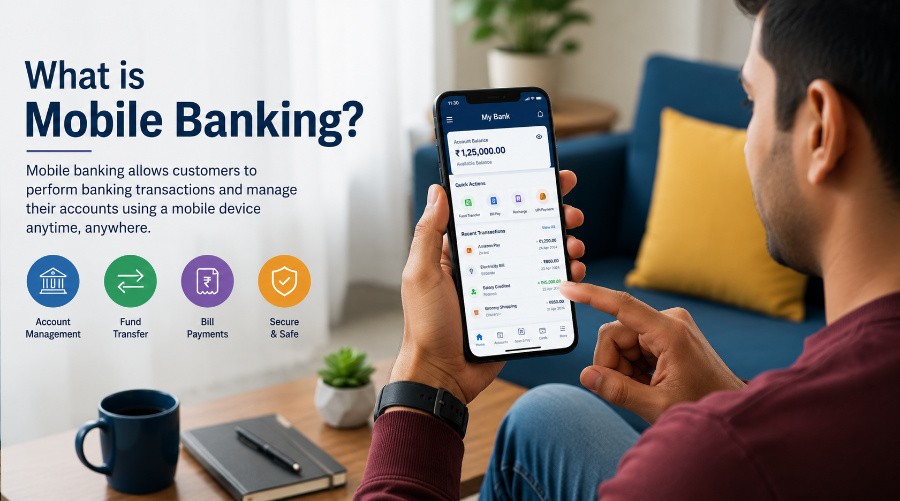
Simply put:
“Mobile banking is the digital facility that brings the bank to your pocket.”
Today, most banks provide their own mobile banking apps, such as:
- YONO SBI
- HDFC Bank Mobile Banking
- ICICI iMobile
- Kotak 811
History of Mobile Banking
Mobile banking started with SMS Banking. Initially, users could only get a balance inquiry or a mini statement through SMS.
Later, with the development of smartphones and internet technology:
- Banking apps came
- UPI payments startedThe
- Biometric login came
- QR scan payments started
Today, mobile banking has reached AI, voice banking and instant payments. Now, banks provide all these facilities through mobile banking.
How Does Mobile Banking Work?
Mobile banking requires a bank app, a registered mobile number and an internet connection.
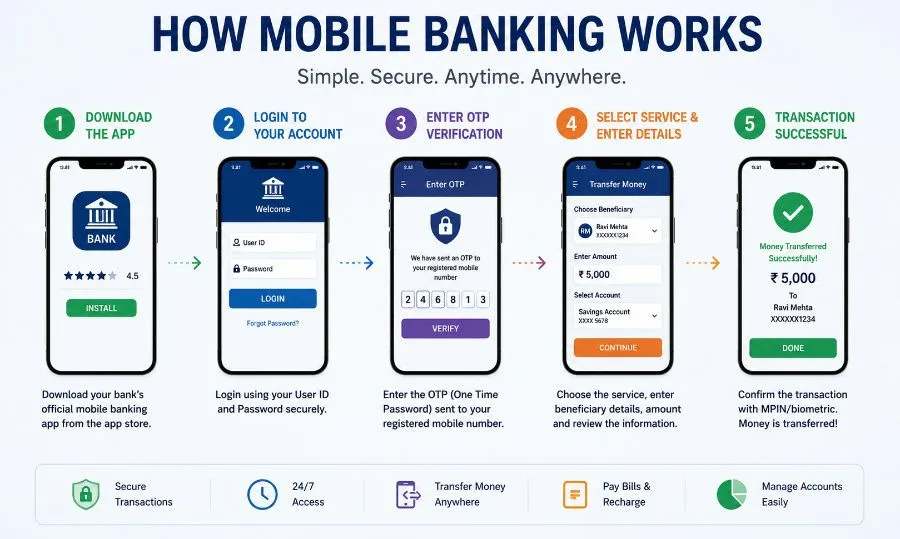
How to use Mobile Banking?
Step 1: Download the Bank App
Install the official banking app from the Google Play Store or Apple App Store. Before installing, first check whether the mobile banking app you are downloading is official or not.
Step 2: Register
Verify the mobile number. Register using the same mobile number that is registered with your bank.
After verifying the mobile number, enter the Debit card details.
After entering the debit card details, an OTP will be sent to your mobile number. Verify the OTP
To know more about what a Debit Card is, its benefits, uses, and how it works, be sure to read our article — What is a Debit Card? Meaning, Benefits and How It Works.
Step 3: Create MPIN
MPIN is the Mobile Banking Password.
You will have to enter this mobile banking password every time you open the application; only after that will the application open.
Step 4: Login
Log in to the app using MPIN or biometric login. After completing the setting of the mobile banking password or biometric login, log in to the application.
Step 5: Use Banking Services
After logging in, you will see different services in the application, i.e. now you can use services like: balance check, fund transfer, UPI payment, bill payment, and recharge.
Features of Mobile Banking
The following are some Features of Mobile Banking.
| Feature | Use |
|---|---|
| Balance Check | Check account balance instantly |
| Fund Transfer | Send money to another bank account |
| Bill Payments | Pay electricity, gas, mobile, and DTH bills |
| UPI Payments | Make payments by scanning QR codes |
| Mini Statement | View recent transaction history |
| Card Management | Block or unblock debit/credit cards |
| Loan Services | Apply for personal or business loans |
| Investments | Invest in FD, mutual funds, and insurance |
Types of Mobile Banking
The following are the Types of Mobile Banking.
1. App-Based Mobile Banking
Services provided through banking apps are called app-based mobile banking
Example:
- YONO SBI
- ICICI iMobile
etc
2. SMS Banking
Getting a balance inquiry or mini statement through SMS is SMS banking.
3. USSD Banking
Basic banking without internet through services like *99# is USSD banking.
4. UPI Mobile Banking
Ubi mobile banking is an instant payment through UPI apps.
Example:
- Google Pay
- PhonePe
- BHIM
Benefits of Mobile Banking
The following are the 6 Benefits of Mobile Banking.
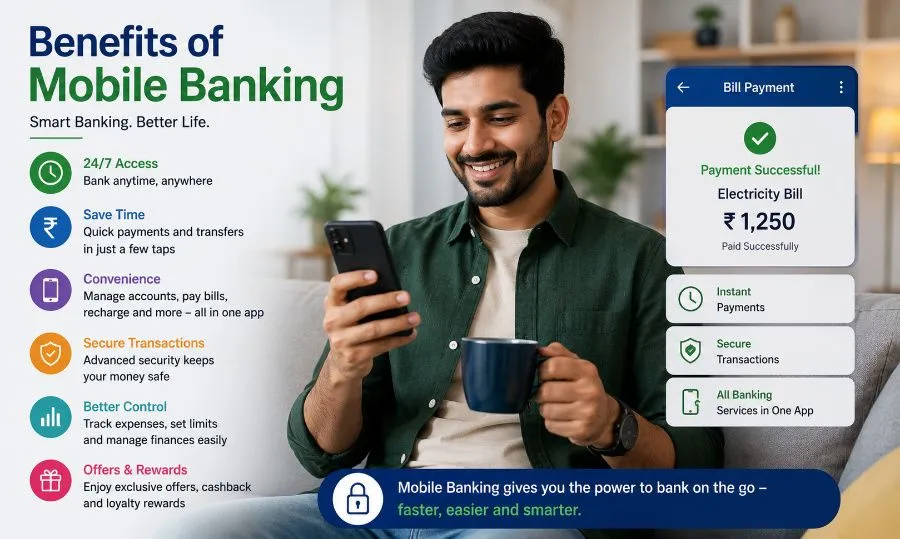
1. Anytime Banking
Anytime banking means a 24/7 banking facility is available. We can avail these services even from home.
2. Time Saving
The biggest benefit of mobile banking is that the need to go to the bank branch is reduced. All the services are available on the mobile itself.
3. Instant Fund Transfer
Another benefit of mobile banking is that we can send money instantly through NEFT, RTGS, IMPS and UPI.
4. Easy Bill Payments
With mobile banking, Electricity bill, FASTag, gas bill, and recharge can be done in a few seconds and that too in a very easy way.
5. Better Financial Tracking
Transaction history and monthly spending can be easily tracked in mobile banking. Due to this, we can track our financial expenses well.
6. Secure Transactions
While using mobile banking, security increases due to OTP, MPIN and biometric authentication. So there’s no need to be afraid.
Limitations of Mobile Banking
Now, let us see what the limitations or limitations of mobile banking are.
- For mobile banking, we need the internet every time.
- There can be a risk of cyber fraud due to fake apps and phishing apps.
- Technical errors can occur due to app crashes or server issues.
- For mobile banking, you need to have a smartphone.
Mobile Banking vs Internet Banking
| Feature | Mobile Banking | Internet Banking |
|---|---|---|
| Device | Smartphone | Computer/Laptop |
| Access | Mobile App | Website |
| Convenience | More Convenient | Moderately Convenient |
| Portability | Accessible Anywhere | Limited Accessibility |
| Notifications | Instant Alerts | Limited Alerts |
Mobile Banking vs UPI
| Feature | Mobile Banking | UPI |
|---|---|---|
| Service Provider | Bank | NPCI-based System |
| Usage | Full Banking Services | Instant Money Transfers |
| Features | Loans, FD, Cards, Banking Services | Mainly Payments and Transfers |
| Example | Bank Mobile Apps | UPI Apps |
Is Mobile Banking Safe?
Yes, mobile banking is safe if proper precautions are taken. Banks use many advanced security technologies.
Security Features
- OTP verification is available
- MPIN is used
- A biometric login facility is available
- Device authentication is available
- End-to-end encryption is available.
Common Mobile Banking Frauds
The following are some frauds that we should be aware of.
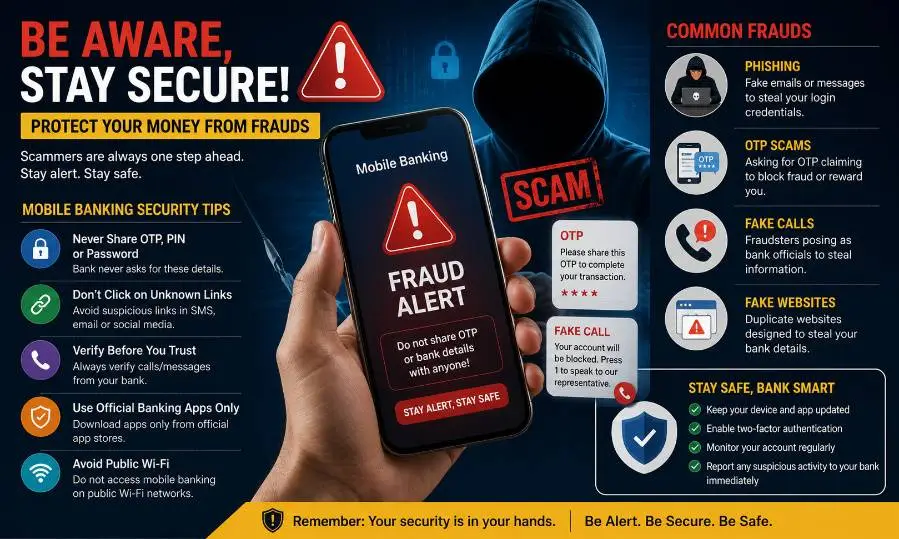
1. Phishing Links
Phishing links are used to steal banking details by sending fake links. And then using those banking details to zero out the balance on your account. Such types of fraud can also happen.
2. Fake Customer Care Calls
Sometimes you may get fake customer care calls. In such cases, they ask you for OTP or MPIN, and based on this information, they commit fraud.
3. QR Code Scam
Currently, QR codes are also being scanned. In this scam, money is deducted under the guise of receiving money.
4. Screen Sharing Apps
Screen sharing apps are used to show your mobile screen to the next person and, using it, i.e. remote access apps, banking information is stolen, and that information is later misused.
5. Fake APK Apps
We should all be careful to use only official banking apps because stealing data by installing fake banking apps is also a form of fraud.
Safety Tips While Using Mobile Banking
- Use only official banking apps.
- Do not share OTP and MPIN with anyone.
- Do not bank on public Wi-Fi.
- Use a strong password.
- Update the banking app regularly.
- Do not click on unknown links.
- Always keep the phone lock enabled.
A Real Mobile Banking Scam Example and How to Stay Safe
A user received a fake bank customer care call. The person shared OTP under the guise of a KYC update, and within a few minutes, money was deducted from the account. These days, phishing links, fake APK apps, QR scams and screen-sharing fraud have increased a lot.
I personally recommend that:
- Never share OTP
- Do not install unknown APKs
- Do not bank on public Wi-Fi
- Verify the amount while scanning the QR
- Use only official banking apps
- Banks or RBI never ask for OTP, MPIN or password.
Best Mobile Banking Apps in India
Here we will see the popular mobile banking apps in India.
Popular mobile banking apps in India:
- YONO SBI
- HDFC Bank Mobile Banking
- ICICI iMobile
- Kotak 811
- Axis Mobile
How to Activate Mobile Banking
Let us now see the process of how to activate mobile banking.
Mobile Banking Registration Process
- Install the bank app
- Verify registered mobile number
- Enter debit card details
- Verify OTP
- Create MPIN
- Log in and start banking
Common Mobile Banking Problems and Solutions
| Problem | Solution |
|---|---|
| Forgot MPIN | Use the “Reset MPIN” option |
| App Not Opening | Update or reinstall the app |
| Transaction Pending | Wait for up to 24 hours |
| SIM Changed | Re-verify mobile number with the bank |
| Phone Lost | Block the banking app immediately |
Mobile Banking & Digital Payments Statistics in India (2025–2026)
| Statistic | Latest Data | Why It Matters |
|---|---|---|
| UPI Transactions in March 2026 | 2,264 Crore Transactions | Shows the massive growth of digital payments in India |
| UPI Transaction Value (March 2026) | ₹29.53 Lakh Crore | Reflects increasing user trust in Mobile Banking and UPI |
| Daily Average UPI Transactions | 73 Crore per Day | Indicates billions of mobile payments happen daily in India |
| Banks Live on UPI Network | 705+ Banks | Almost all major banks are now part of the digital ecosystem |
| Total Digital Transactions in FY 2024–25 | 23,834 Crore Transactions | India is rapidly moving toward a cashless economy |
| UPI Share in India’s Digital Payments | ~85% Transaction Volume | UPI has become India’s largest payment system |
| UPI Annual Transactions FY 2025–26 | ~24,160 Crore Transactions | Digital banking adoption has reached record levels |
| Digital Payments Share in India | 99.8% Payment Volume Digital | Digital payment dominance is increasing across India |
| BHIM App Growth in FY26 | 300% Growth | Government-backed UPI apps are becoming more popular |
| Monthly UPI Transactions Crossed | 2,000 Crore/Month in 2025 | India has created a global digital payment benchmark |
Future of Mobile Banking
Mobile banking is going to become more advanced in the coming time. Because in the future, some future trends of mobile banking may come like,
- AI Banking
- Voice Banking
- Facial Recognition
- Smartwatch Payments
- Cardless ATM Withdrawals
FAQs: What is Mobile Banking?
What is mobile banking in simple words?
Mobile banking means using banking services through a mobile.
Is mobile banking free?
Most banks offer mobile banking services for free.
Can I use mobile banking without the internet?
Some basic SMS banking services can be used without the internet.
What is MPIN in mobile banking?
MPIN means mobile banking login password.
Is UPI different from mobile banking?
Yes. UPI is mainly used for payments, while mobile banking offers complete banking services.
Which is safer, internet banking or mobile banking?
Both are safe if proper security practices are followed.
Can I block my debit card through mobile banking?
Yes, most banking apps have a debit card block/unblock facility.
What should I do if my phone is lost?
Contact the bank customer care immediately and block mobile banking access.
Conclusion
Mobile banking has brought about a major revolution in the banking sector. Today, there is no need to go to a bank branch to transfer money, pay bills, make investments or manage accounts. With the right security measures, mobile banking is safe, fast and very convenient.
With the increasing use of Digital India and UPI, mobile banking will become even more powerful in the future. Therefore, everyone needs to understand the information about mobile banking and use it in a safe manner.
If you found this article useful, then be sure to share it with your friends, and if you have any doubts, be sure to ask in the comments.
Disclaimer
This article is published for educational and informational purposes only. Mobile banking features, charges, limits, security settings, and available services may vary depending on the bank, mobile application, and RBI guidelines. Readers should always verify the latest information from their respective bank’s official website or customer support before making any financial decision or transaction.
We do not provide financial, investment, legal, or banking advice. Users are responsible for maintaining the safety of their banking credentials, OTP, MPIN, passwords, and personal information. Never share confidential banking details with anyone through calls, messages, emails, or unknown links.
The apps and banking services mentioned in this article, such as YONO SBI, Google Pay, and PhonePe, are referenced only for informational purposes and do not represent endorsements or partnerships.

Hello! I’m Abhijeet Bendale, founder of MoneyPedia (Your Trusted Banking Guide). With 8 years of experience in the education field, I aim to simplify banking and personal finance topics for everyday readers through easy-to-understand guides and tutorials.
At MoneyPedia, I share informative content on UPI, digital payments, net banking, ATM and debit cards, mobile banking, and other essential banking topics to help users make smarter financial decisions with confidence.